
3
Technische voorbereiding & Digitale vaardigheden
Technische voorbereiding & Digitale vaardigheden
Inhoud
Deze activiteit vormt de technische basis van het project Co-Creating International Youth Spaces in Roblox. De technische voorbereiding is meer dan alleen het instellen van apparatuur: het is een bewust leermoment over digitale veiligheid, privacy en bewust omgaan met digitale middelen.
1. Hoe het leren werkt: Van speler naar maker
In plaats van dat jongerenwerkers alle instellingen vooraf zelf regelen, richten jongeren en begeleiders samen hun virtuele omgeving in.
Tijdens dit proces ontdekken jongeren het verschil tussen een game consumeren (passief spelen) en een virtuele wereld bouwen (actief ontwerpen). Deze kanteling stimuleert jongeren om zichzelf niet alleen te zien als speler, maar als digitale maker en samenwerker.
2. Kies de werkwijze die past bij jouw organisatie
Samen met de jongeren bespreekt de jongerenwerker wat een digitale identiteit betekent voor privacy, veiligheid en online verantwoordelijkheid.
Afhankelijk van de middelen in het jongerencentrum kies je uit twee mogelijkheden voor het werken met de Roblox accounts:
- Model A – Persoonlijke accounts
Jongeren gebruiken hun eigen Roblox-account op een eigen of geleend apparaat. Ze doorlopen zelf de registratie en leeftijdsverificatie en leren zo verantwoording te nemen voor hun eigen account.
- Model B – Accounts beheerd door het jongerencentrum
Het jongerencentrum werkt met anonieme beheerdersaccounts op gedeelde pc's of VR-brillen. De jongerenwerker stelt vooraf alle privacy- en veiligheidsinstellingen in volgens het eigen veiligheidsbeleid. Zo doen jongeren veilig mee zonder persoonlijke gegevens te delen.
Stappenplan voor deelname
Stap 1 – Veilig inloggen
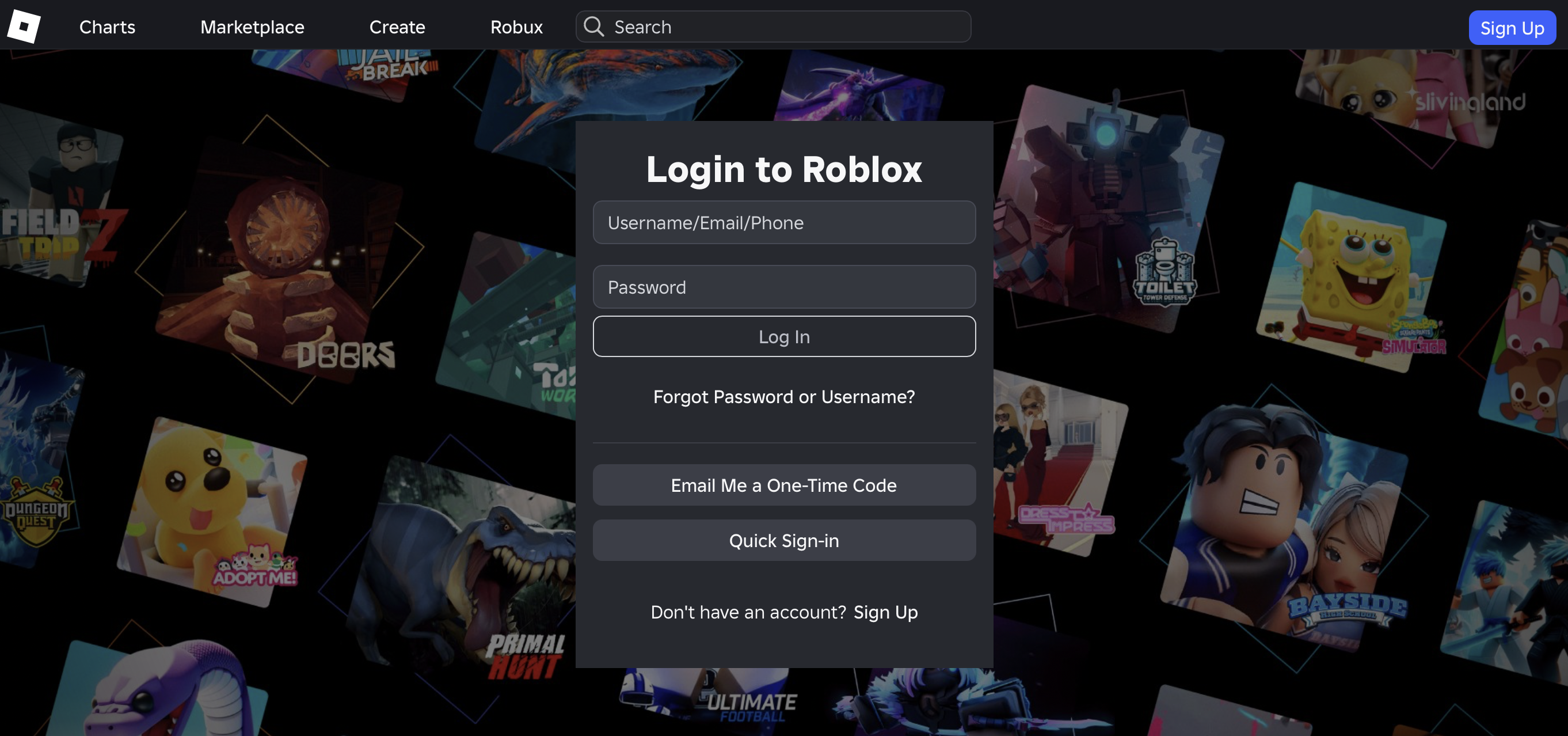
- Ga naar Roblox.com of open de Roblox-app op het apparaat dat je gebruik.
- Heb je al een account? Log in met je gebruikersnaam en wachtwoord.
- Nog geen account? Klik op 'Registreren' (Sign Up) en maak een nieuw account aan.
- Gebruik je een account van het jongerencentrum (Model B)? Laat de jongerenwerker inloggen en de instellingen controleren voordat je start.
🛡️ Naamgeving voor jongerenwerkers
Zorg dat je als begeleider herkenbaar bent en duidelijk gekoppeld bent aan je organisatie. Zo bouw je je naam op:
[Voornaam]_[Organisatie]
Voorbeelden: Sarah_NL_Jongerenwerker of Thomas_BE_Centre
Zo zien internationale jongeren en collega's meteen bij wie ze terechtkunnen.
Stap 2 – Navigeren op het hoofdscherm
Na het inloggen kom je terecht op het hoofddashboard van Roblox.
- De bovenste navigatiebalk Hier vind je de belangrijkste onderdelen van Roblox. Het tabblad Ontdekken (Discover) toont openbare games, maar wij werken uitsluitend binnen de afgeschermde omgeving Virtual Cities of Learning. Deze privéruimte is alleen toegankelijk op uitnodiging.
- Het zijmenu Hier vind je je profiel, groepen en instellingen.
- Toegang tot de besloten VR omgeving Om de veiligheid te waarborgen, is de projectserver volledig privé. De wereld verschijnt niet automatisch op je scherm. De projectbeheerder moet jouw gebruikersnaam eerst toegang geven. Zie je de omgeving niet? Meld dit meteen bij je jongerenwerker voor een uitnodiging. Heb je de server al eerder bezocht? Dan staat deze onder 'Doorgaan' (Continue).
Stap 3 – De virtuele wereld binnenstappen
Zodra de uitnodiging is geaccepteerd en de projectomgeving op je scherm staat, klik je op de groene knop 'Play'. Je maakt nu verbinding met de internationale server en kunt samen aan de slag!
🎮 Bewegen in Roblox
De bediening van Roblox verschilt per apparaat (pc, smartphone, tablet, console of VR-headset). Om deelnemers snel op weg te helpen, hebben we een handige en printbaar spiekbriefje opgesteld. Het Roblox Spiekbriefje laat met duidelijke afbeeldingen zien hoe je loopt, springt, rondkijkt en je spullen gebruikt.
👉 Open de bijlage: Roblox Spiekbriefje
🛡️ Veiligheidsprotocol tijdens opstarten
Om een veilige, informele en beschermde leeromgeving te behouden, voeren jongerenwerkers de volgende stappen uit:
- Controleer regelmatig de privacy-instellingen. Roblox voert vaak updates uit waardoor instellingen kunnen terugspringen.
- Zorg binnen Roblox dat alleen geautoriseerde personen contact kunnen opnemen met de deelnemers. Je past dit handmatig aan binnen Roblox.
- Schakel privéberichten of openbare chats uit voor onbekende spelers.
- Het wordt sterk aanbevolen dat jongerenwerkers de deelnemers toevoegen als 'Connecties' (vrienden) via hun professionele Roblox-account. Zo nodig je hen eenvoudig uit voor beveiligde privéservers zonder tussenkomst van openbare spelomgevingen.
- Volg het eigen protocol: Blijf bij zorgen over veiligheid of gedrag altijd werken volgens de richtlijnen voor jeugdbescherming van jouw organisatie.
Educatieve focus
Deze activiteit is meer dan een technische introductie. Jongeren ervaren in de praktijk hoe ze veilig deelnemen aan online omgevingen. Ze ontwikkelen inzicht in digitale grenzen, privacy en accountbeheer, en bouwen zo aan belangrijk digitaal burgerschap.

Hulpmiddelen
Ontvang een activiteitenbadge
VR Space explorer Behaal deze badge
Deze badge is voor jongeren die meedoen aan onze internationale Europese jongerenuitwisseling en meehelpen aan het bouwen van de virtuele wereld. De badge laat zien dat jij je profiel veilig kunt instellen, onze besloten projectgroep kunt vinden en op een positieve manier contact maakt met jongeren uit andere landen in de virtuele ruimte.
Deze badge hoort bij het internationale uitwisselingsproject "Co-Creating Virtual Youth Spaces in Roblox" en is beoordeeld en goedgekeurd door jouw jongerenwerker.
Taken
Taak nr.1
Bewijs bevestigd door: één activiteitenorganisator
Aan de slag:
Stap 1: Download en installeer de Roblox-app op je apparaat (pc, telefoon of VR-headset).
Stap 2: Log veilig in op je account (of werk samen met je jongerenwerker om in te loggen op een profiel dat door het jongerencentrum wordt beheerd).
Stap 3: Gebruik je officiële uitnodigingslink om de privéserver van ons project te vinden.
Stap 4: Betreed de virtuele omgeving en stel jezelf voor aan de andere internationale deelnemers.
Stap 5: Doe samen een paar activiteiten met je groepsgenoten in de Meeting hub.
Stap 6: Zodra de hele groep bij elkaar is en de begeleider het startsein geeft, kun je de rest van de Virtual Cities of Learning VR-ruimte gaan verkennen!
Internationaal en intercultureel
Toegevoegd aan playlist (1)
Tijd om te voltooien: 1 uur 30 minuten
Delen:
Organisatoren
Cities of Learning Network
Breakthrough
Essex Youth Services
Badge-uitgever erkend met

Awero host dit platform en ontwikkelt het samen met toonaangevende educatieve organisaties. Het programma Erasmus+ van de Europese Unie heeft cofinanciering verleend voor de bouw van de eerste versie van dit platform. Neem contact op met support@awero.org.
Wijzigen in een andere taal: